
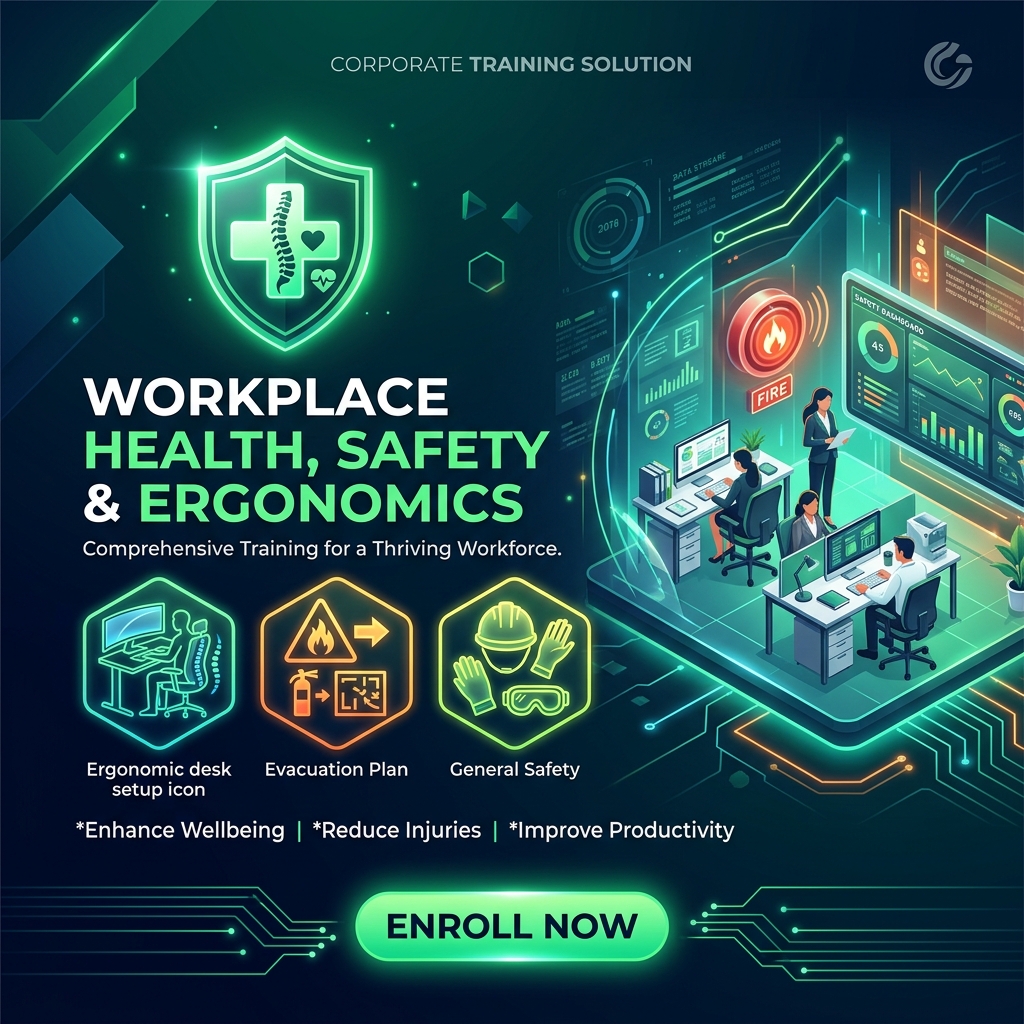
Workplace Health, Safety & Ergonomics
Display screen equipment (DSE) workstation setup, fire safety evacuation routes, hazard assessments, and first aid procedures.
What You Will Build & Accomplish
Live Working Prototype
A responsive, interactive cloud-hosted application that real customers and angel investors can test on mobile and desktop.
Figma UI Component Kit
Complete visual design blueprints, user story mapping boards, and reusable UI screens ready for continuous design iteration.
Cloud Database & APIs
Live PostgreSQL cloud storage, secure user authentication, automated lead capture webhooks, and Stripe checkout integration.
Investor Demo Pitch Deck
A structured 3-minute live interactive software pitch presentation designed to captivate accelerators, stakeholders, and clients.
Course Curriculum & Topics
MODULE 1: OCCUPATIONAL HEALTH & SAFETY REGULATORY FRAMEWORK
Understand Health & Safety at Work Act 1974, hazard identification, and RIDDOR accident reporting.
1.1 Health & Safety at Work Act 1974 & OSHA Compliance Fundamentals
1.2 Hazard Identification, Risk Assessment & Risk Control Hierarchy
1.3 Accident Reporting, RIDDOR Regulations & Near-Miss Investigations
MODULE 2: DISPLAY SCREEN EQUIPMENT (DSE) & WORKSTATION ERGONOMICS
DSE workstation self-assessments, neutral posture alignment, RSI prevention, and movement breaks.
2.1 DSE Self-Assessment & Neutral Posture Workstation Alignment
2.2 Preventing Repetitive Strain Injury (RSI) & Eye Fatigue (20-20-20 Rule)
2.3 Standing Desks, Movement Breaks & Office Micro-Stretches
MODULE 3: FIRE SAFETY, EMERGENCY EVACUATION & FIRST AID
Fire prevention, PASS extinguisher protocol, emergency evacuation routes, and CPR/AED response.
3.1 Fire Risk Prevention, PASS Extinguisher Use & Assembly Points
3.2 Emergency Evacuation Planning, Fire Warden Roles & PEEPs
3.3 First Aid at Work Standards, CPR & Automated External Defibrillators (AED)
MODULE 4: MANUAL HANDLING, SLIPS/TRIPS & HAZARDOUS SUBSTANCES
Applying the TILE principle to manual handling, preventing office slips/trips, and COSHH compliance.
4.1 Manual Handling Operations & Safe Lifting Techniques (TILE Principle)
4.2 Preventing Slips, Trips & Falls in Office & Facility Environments
4.3 COSHH Regulations, Chemical Safety Data Sheets (MSDS) & PPE Hygiene
Hands-On Innovation Sprint Schedule
Concept Architecture, User Stories & Figma Wireframing
Map out the customer journey, wireframe the 4 core screens in Figma, and define the data schema tables.
Generative UI with v0.dev, Tailwind & React Assembly
Prompt AI coding engines to generate production components, assemble views, and configure responsive navigation.
Cloud Database, User Authentication & Stripe Checkout
Connect Supabase PostgreSQL backend, wire webhook email automations, and embed Stripe payment forms.
Global Edge Deployment & Live Founder Demo Pitch
Deploy prototype live to custom domain on Vercel and present the live working product to peers and mentors.
Head of Enterprise Compliance, Data Privacy & Security Governance
Directed by a Senior Risk Governance & Enterprise Security Specialist with extensive background managing corporate compliance standards, ISO 27001 auditing, GDPR privacy protocols, and workplace safety.
Key Facilitator Industry Experience & Credentials:
- ✦ GDPR & Data Protection Leadership: Expert knowledge of the 7 GDPR data processing principles, Data Subject Access Requests (DSAR), DPIA risk assessments, and 72-hour breach containment.
- ✦ Workplace AI Policy & Confidentiality: Formulating enterprise AI usage guidelines to prevent proprietary data leaks to public models while maximizing office staff productivity.
- ✦ Workplace Safety & Well-Being Governance: Integrating Display Screen Equipment (DSE) ergonomic standards, anti-bribery policies, DEI frameworks, and office clean-desk physical security.
Got Questions? We Have Answers.
Q: Do I need any prior programming or coding background?
Absolutely not. This course is specifically engineered for non-technical founders, product managers, and business operators. We utilize modern visual AI generative tooling (v0.dev, Cursor, Figma) that translates plain English prompts into production software.
Q: Who owns the intellectual property (IP) of what I build?
You own 100% of all intellectual property, source code, database architectures, and design files created during the sprint. Webcross Academy claims zero ownership over your product concept.
Q: Will the prototype work on mobile phones and tablets?
Yes. All frontend components generated during the workshop utilize Tailwind CSS and responsive flexbox/grid architectures, ensuring pixel-perfect layout across iPhone, Android, tablets, and desktop displays.
Q: Is there post-workshop support after the sprint concludes?
Yes. Every enrolled founder receives 30 days of direct asynchronous mentor access via our founder community channel, along with lifetime access to all course updates, templates, and video walkthroughs in the interactive player.
What's Included in this Course
- ✓ Full Interactive Player Access: Lifetime access to all 4 modules and 12 topics.
- ✓ Founder Figma UI Kit: 120+ pre-built mobile & desktop responsive components.
- ✓ AI Prompt Template Library: 50+ tested prompts for v0.dev, Cursor, and Claude.
- ✓ Supabase Starter Schema: Pre-configured PostgreSQL authentication and data tables.
- ✓ Verifiable Certificate: Accredited digital credential with cryptographic QR verification.
- ✓ 30-Day Founder Support: Asynchronous feedback on your prototype roadmap.
Course Specifications
laptop_mac Student Equipment & Prerequisites
- ✓ Computer, Laptop, or Tablet
- ✓ Internet connection